
CASE STUDY
The Toggle That Unlocked Terabytes
From zero to four platforms. Bringing short message data onto the platform for legal teams worldwide.
Senior Product Designer · Relativity · 2023–2026 (Shipped, Active)
82TB
RSMF Data Processed
24+
Teams Unlocked
4
Platforms Shipped
CONTEXT
Short messages were about to surpass email
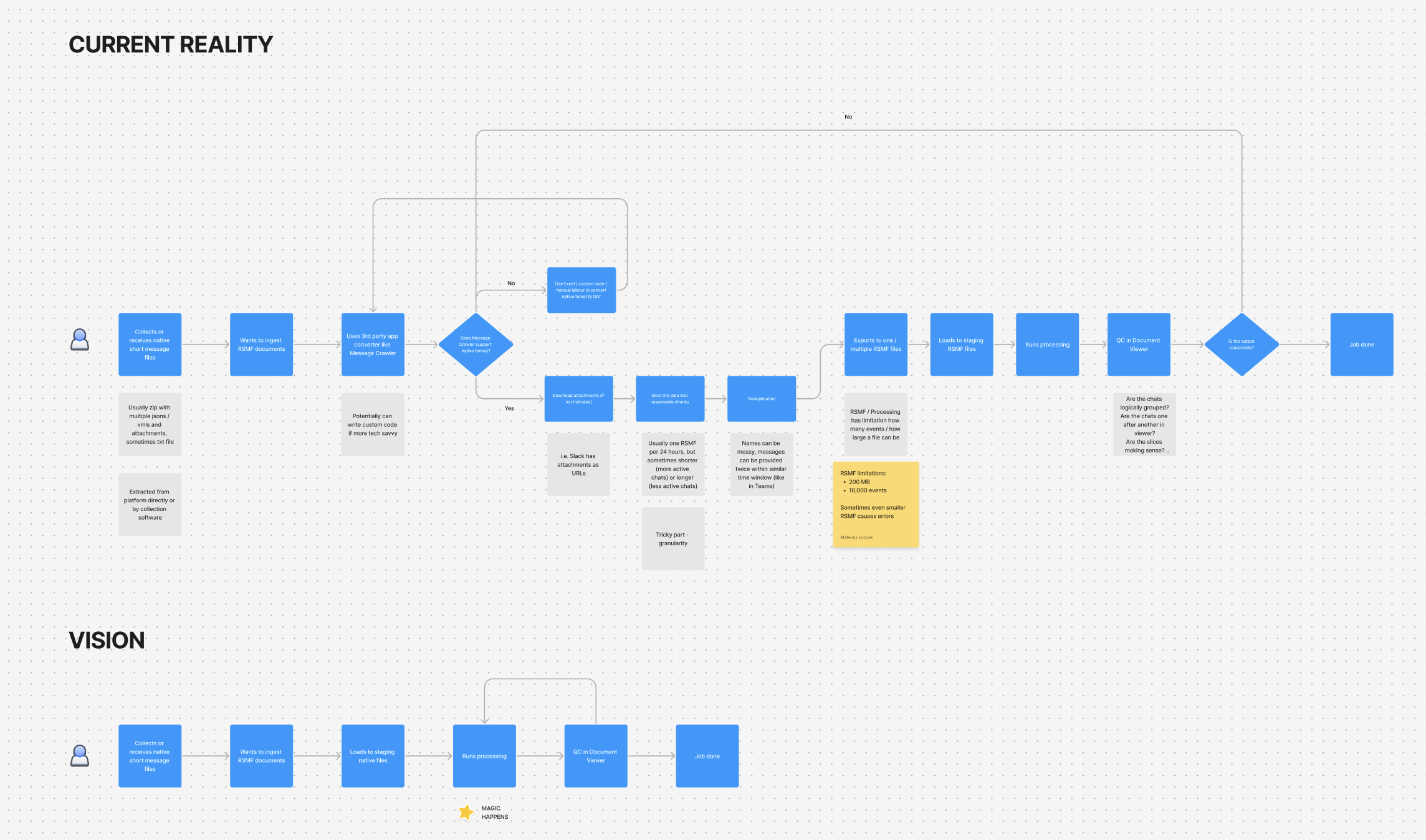
Relativity is the industry standard for e-discovery. Processing is the engine that takes raw files and prepares them for legal review.
Short message data was exploding — Slack, Teams, texts, WhatsApp, mobile forensic extractions. But there was no in-app way to convert this data. Customers paid for third-party tools and managed fragmented workflows.
January 2023 baseline: 150 RelOne customers, 34.4 TB of RSMF data, and a strategic target of 4.8x growth by year end.
MY ROLE
Senior Product Designer, Enrichment Domain. I owned UX decisions and facilitated all workshops across four phases. Partnered with PM Mateusz Łuczak and directed UX Researcher John Alton through Phases 1–2.
THE PROBLEM
Without data on the platform, nothing downstream works.
There was no integrated way to convert Slack, Teams, Google Chat, or Cellebrite exports into RSMF. If conversion failed, search couldn't index it, review couldn't code it, and production couldn't export it. Conversion sat at the top of the funnel, and every team downstream was waiting on it.
DISCOVERY
Research before pixels.
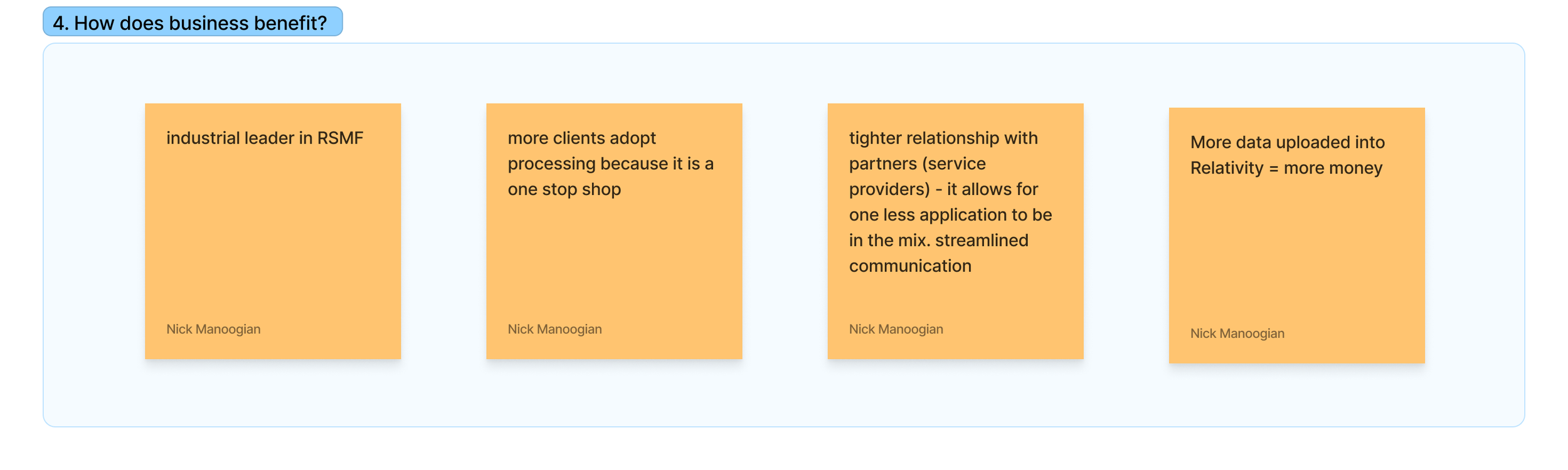
Before anyone started pushing pixels, I facilitated a product pitch workshop in FigJam to stress-test the direction. The "how does business benefit" exercise forced the team to articulate value beyond features: more data on platform means more cases where legal teams can discover the truth. More revenue means we fund more improvements to the product that makes that possible.
We also mapped where the idea would fail. If people already have workarounds they're comfortable with, why would they switch? If we launch with too few formats, adoption stalls before it starts. And if the backlog never gets revisited, MVP becomes the ceiling. These risks shaped our phased approach.
DESIGN
Five decisions that built conversion into the platform
1. Start simple, earn complexity
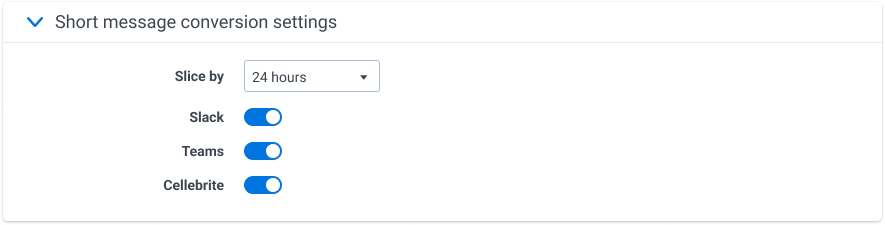
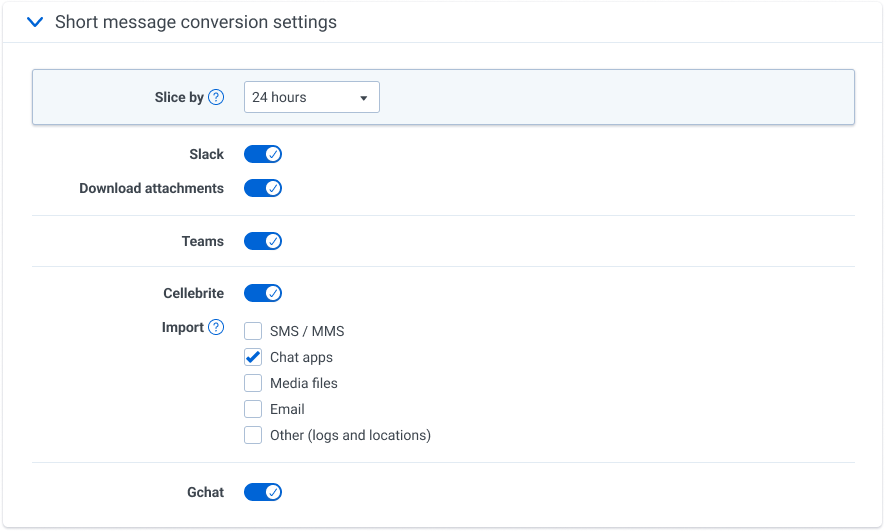
Cellebrite conversion launched as a single toggle. Turn it on, convert everything. But UFDR containers hold a mix of SMS, chat apps, media files, and email. Users needed to target specific data types without processing the rest. We added application filters only after research confirmed the need, so each option the user sees was justified before it shipped.
2. Separate universal from platform-specific
When it was just Slack, the settings were simple enough. Adding Teams didn't change much. But once Cellebrite introduced a third platform with its own filtering options, users started telling us they couldn't tell which settings applied globally and which were platform-specific. "Slice by" controlled everything, but nothing in the UI made that clear. We used the Google Chat release as the opportunity to fix this, grouping universal settings at the top with visual separators so the hierarchy was obvious at a glance.
3. Default on, then learn to default off
During initial research, users told us they wanted to capture all the data. So we shipped the toggle defaulted to ON. We quickly learned that for some users, this caused issues with existing processing profiles that were already in progress. We fixed it fast, but the follow-up research revealed the deeper problem: defaulting on assumed every workspace was starting fresh. They weren't.
4. Design for when things go wrong
Each platform introduced failure modes the original UI wasn't built to surface, and our users were clear: they'd rather see the mess than wonder if something was missed.
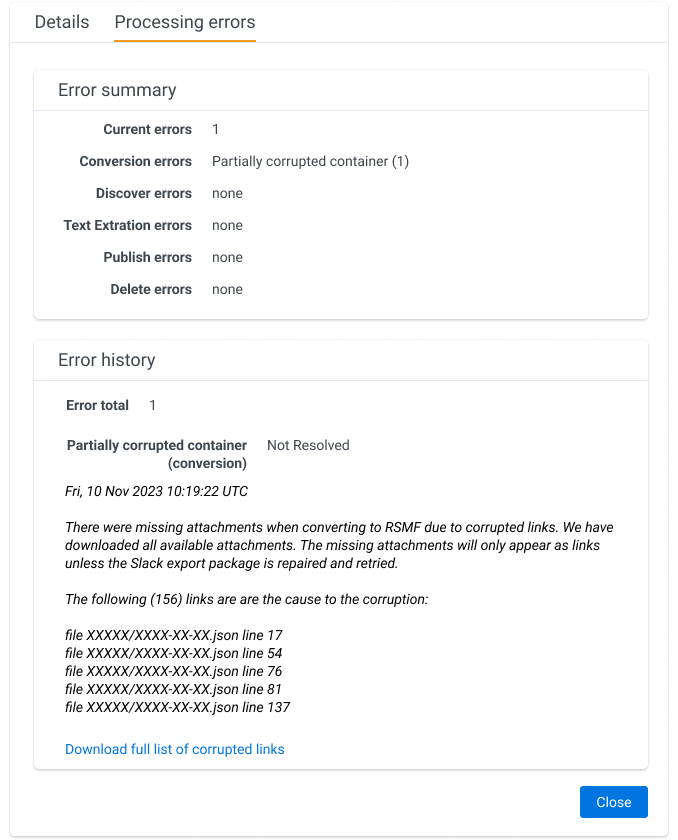
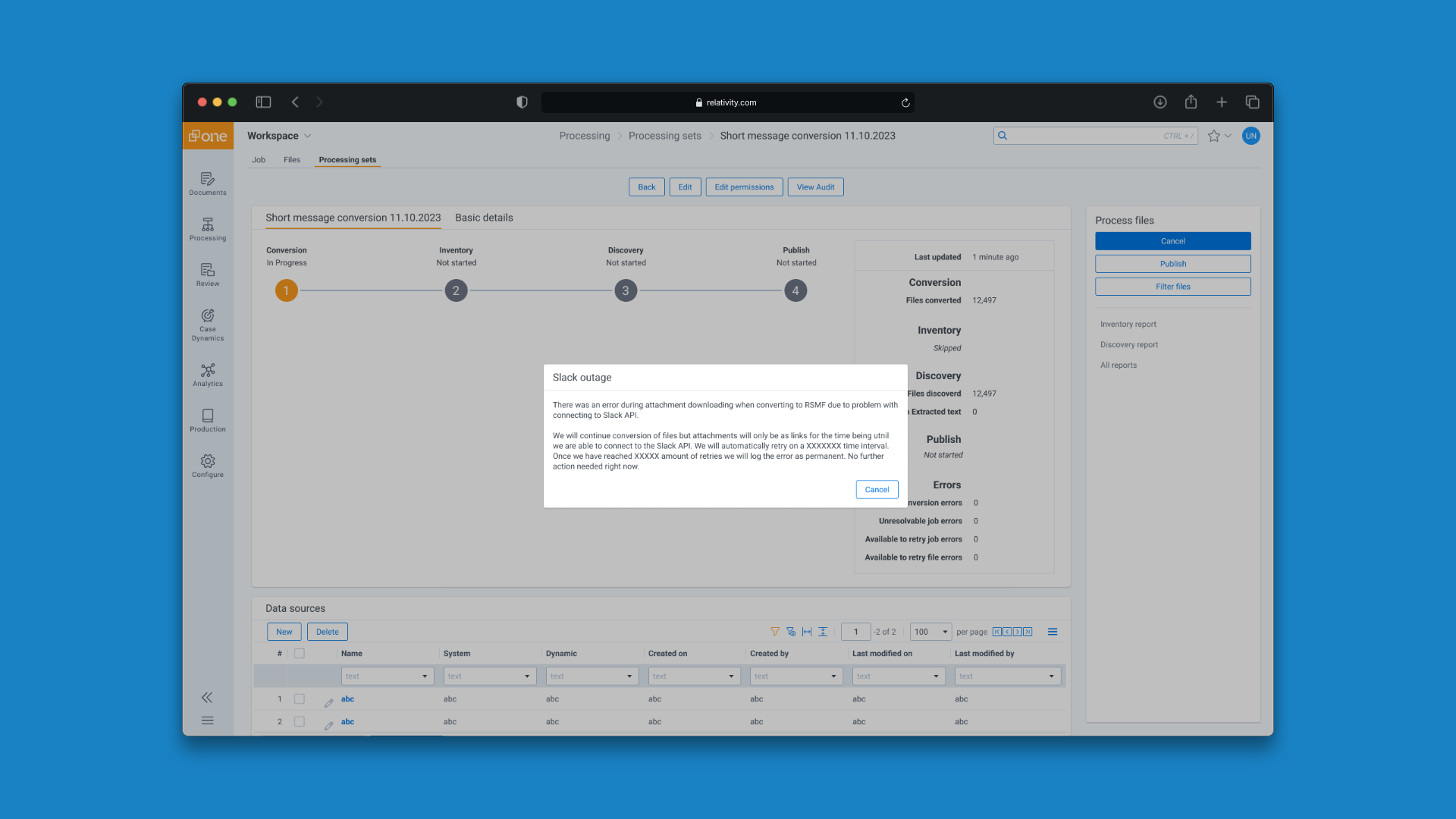
All RSMF conversions get a dedicated error panel that breaks down failures by processing stage, lists the specific affected files, and links to a downloadable full list. When Slack's API goes down mid-conversion, the dialog names the dependency, explains that attachments will convert as links instead, and confirms retries are automatic. Same principle everywhere: show what happened, give the specifics, let the user decide what to do next.
Automation without consent isn't a feature.
It's a disruption.
Users want to discover all the data. But they want to be the ones who turn it on. This reframed how we approached every default after.
ROLLOUT
The conversion roadmap
ROLLOUT
All three strategic pillar metrics met
REFLECTIONS
What I learned
If you're only testing the happy path, you're designing a demo, not a product. Error handling drove more design decisions than the conversion flow itself. Corrupted containers, partial extractions, timed-out connections. The edge cases shaped the real experience.
Success rate is a design metric, not just an engineering metric. 99% success on Teams didn't happen because the code was good. It happened because we designed clear constraints, graceful fallbacks, and error messages users could actually act on.
Your feature is someone else's foundation. I designed a section in a form. What shipped was the entry point for a data pipeline 24+ teams built on.